When a user types a full question into your search bar and gets nothing useful back, they rarely rephrase and try again. They simply give up, and that friction compounds across every session and every account.
That friction is more expensive than it looks. A survey by The Harris Poll for Google Cloud found that 94% of U.S. consumers abandoned a shopping session because of irrelevant search results, costing retailers an estimated $300 billion a year.
What changed is that large language model development has matured to the point where fixing this is well within reach of an ordinary product team. This guide walks decision makers at software-as-a-service (SaaS) companies through LLM semantic search in plain English: what it is, how to build it, what to watch out for, and how to tell whether you should build it at all.
What Is Semantic Search?
Semantic search is a way of searching that focuses on the meaning and intent behind a query rather than the exact words a person typed. Instead of hunting for literal string matches, it considers the relationships between words and the context of the request, so “warm winter gloves” can surface wool and fleece options even when the word “warm” never appears in the product description. It is a technique that aims to understand the deeper meaning behind a search, much like a human would.
Under the hood, this is powered by two close cousins of modern artificial intelligence (AI). Semantic search machine learning models convert text into numerical representations called embeddings, and semantic search NLP (natural language processing) handles the messy business of interpreting human phrasing. A large language model (LLM) supercharges this by generating richer embeddings and, in some setups, by writing a direct answer on top of the results. That combination is what people mean by AI-powered semantic search.
Semantic Search vs Keyword Search
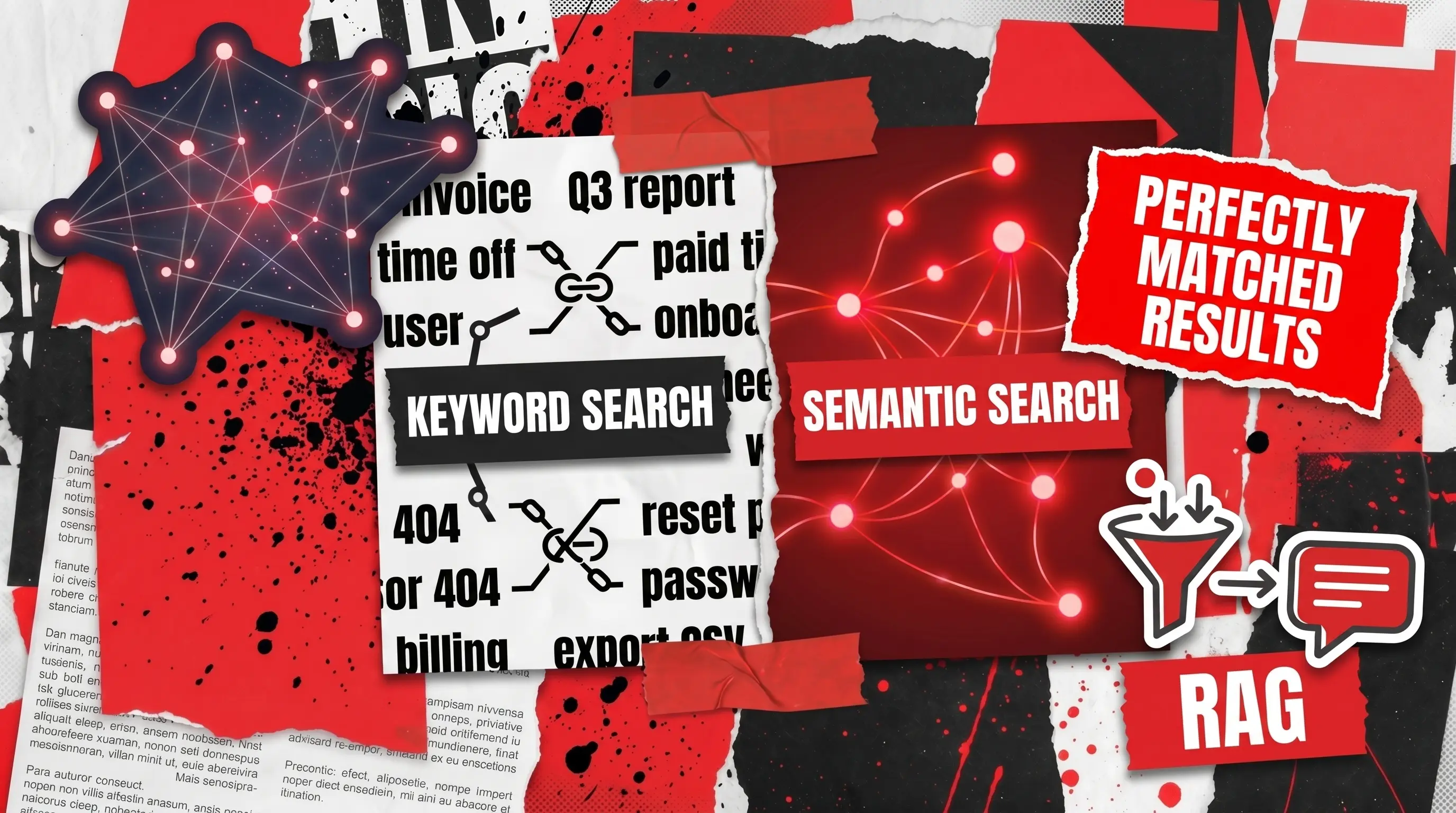
The difference in semantic search vs keyword search comes down to matching meaning versus matching characters. Keyword search looks for the literal terms in your query, which is why a search for “paid time off policy” can completely miss a document titled “Vacation and Leave of Absence Guidelines.”
The distinction between lexical vs semantic search is the same idea stated more formally: lexical search relies on the surface form of words, while semantic search interprets what those words actually point to. For SaaS teams, the takeaway is simple. Keyword search punishes users for not guessing your internal vocabulary, and semantic search forgives them.
Vector-Based Semantic Search
Most modern implementations are built on vector-based semantic search. Every piece of content and every query is turned into a vector, which is a long list of numbers that captures meaning, and the system finds matches by measuring which vectors sit closest together in mathematical space. This is the engine room of semantic vector search, and it is what lets “automobile” and “car” land near each other automatically.
Contextual Semantic Search
Contextual semantic search adds another layer by factoring in signals beyond the query itself, such as the user’s location, role, or past behavior, so a search for “trail maps” on a national park app can prioritize trails near the visitor’s current entrance. For a deeper architectural view, Redwerk’s artificial intelligence development services team often models these context signals as part of the data layer rather than bolting them on later.
RAG vs Semantic Search
Teams often confuse these two, so let us draw a clean line between them. The honest answer to RAG vs semantic search is that they are not competitors. Retrieval-augmented generation (RAG) is a workflow that uses semantic search as its first step, then feeds the retrieved content to an LLM to write a natural-language answer.
In other words, semantic search retrieves; RAG retrieves and then composes. If your goal is “show me the right results,” you need semantic search; if it is “answer my question with sources,” you need RAG on top of it. We cover the generation layer in our guide to RAG best practices, so this article stays focused on the retrieval foundation both approaches depend on.

Implementing Semantic Search in Your SaaS Product
Building LLM semantic search in early, while your data model and architecture are still flexible, is far cheaper than retrofitting it onto a mature product later. Search touches your data layer, your permissions, and your indexing pipeline, so decisions you make now ripple through everything you add afterward. Getting the foundation right from the start is what separates a feature that scales gracefully from one you end up rebuilding under pressure.
Throughout, remember the goal of implementing semantic search in the SaaS stack you already own is the smallest reliable system that measurably improves results, not a rebuild of your product around it.
Step 1: Diagnose Whether You Actually Need It
Before you write a line of code, run a quick diagnostic. Pull your search logs and look at three things: the share of searches returning zero results, the share where users refine their query more than twice, and how many queries are phrased as full questions rather than keywords. If those numbers are high, your users are speaking human and your search is listening in robot.
Now apply a simple decision framework. Semantic search earns its keep when you have a meaningful volume of unstructured content (documents, tickets, products, messages), when synonyms and phrasing variety are hurting you, and when search is tied to a real business outcome like conversion or retention.
If your catalog is tiny and your users always know the exact part number, a well-tuned keyword index may be enough. Knowing when to bring in outside help is its own skill, which we unpack in when to hire a software architecture consultant.
Step 2: Prepare and Chunk Your Data
Garbage in, garbage out applies brutally here. The first real task is to gather your content and split it into chunks, meaning passages small enough to represent a single idea but large enough to keep context. A common starting point is a few hundred tokens per chunk with a little overlap so meaning is not sliced in half mid-sentence.
The caveat most teams miss is metadata. Each chunk should carry structured fields such as author, date, category, access permissions, and source URL, because you will need these later for filtering and security and retrofitting them is painful. Clean, well-labeled data is the single biggest predictor of whether your project to build a semantic search engine feels magical or mediocre.
Step 3: Choose an Embedding Model
Embeddings are the heart of the system, and the model you pick determines quality, cost, and latency. You can call a hosted embedding model through an application programming interface (API) for speed of setup, or run an open-source model yourself for control and data residency. In practice, a good model turns a query like “what is our time off policy” and a document titled “Vacation and Leave of Absence Guidelines” into vectors that sit close together, even though the two share no words at all.
A practical caveat: do not mix embedding models. The vectors from one model are not comparable to another’s, so if you upgrade, you re-embed everything. Teams that want help choosing and fine-tuning models often lean on dedicated large language model development support to avoid expensive re-indexing surprises down the road.
Step 4: Set Up the Semantic Vector Search Layer
Once your content is embedded, the vectors need somewhere to live and be searched quickly. This is the job of a vector database, the workhorse behind semantic vector search at scale. You index every chunk’s vector alongside its metadata, and at query time the database returns the nearest matches in milliseconds.
You have options here, and the choice matters more for operations than for results. Some teams add vector capabilities to a database they already run; others adopt a purpose-built vector store. At small scale almost anything works, but recall, latency, and cost diverge sharply past millions of vectors, so size your test against realistic volumes rather than a toy dataset.
Step 5: Build the Retrieval and Ranking Layer
Raw vector matches are a strong start but rarely the finished product. The highest-performing systems use hybrid retrieval, blending semantic vector search with traditional keyword scoring so you get both meaning and exact-match precision (essential for product codes, names, and acronyms). After retrieval, a reranking step reorders the top candidates using a more powerful model for that final lift in relevance.
This layer is also where filtering and permissions live. Using the metadata from Step 2, you restrict results to what a given user is allowed to see before anything reaches the screen. Skipping this is a classic and serious mistake, because a search box that surfaces another customer’s data is a data breach wearing a friendly UI.
Step 6: Wire It Into Your In-App Search and Measure
Finally, connect the retrieval service to your product’s in-app search experience. Keep the interface familiar, return results fast, and where it adds value, layer an LLM on top to summarize or directly answer (your RAG step). Then, crucially, instrument everything.
You cannot improve what you do not measure, so track click-through, zero-result rate, and query reformulations before and after launch, and roll out behind a feature flag to a slice of users first. If you are folding this into a broader AI initiative, a structured enterprise AI implementation audit is a sensible way to pressure-test the rollout against security and performance standards before it touches every account.
Semantic Search Implementation Best Practices
These semantic search implementation best practices come from the patterns that consistently hold up in production. Treat them as a checklist you revisit, not a one-time setup.
- Start with a measurable baseline. Capture your zero-result rate and click-through before you change anything, so you can prove the improvement later.
- Use hybrid search by default. Pure semantic search can fumble exact identifiers; pairing it with keyword scoring covers both meaning and precision.
- Rerank the top results. A lightweight retrieval pass plus a stronger reranking model gives most of the quality gain for a fraction of the cost.
- Bake in security from day one. Apply permission filters during retrieval, never after, so users only ever see what they are entitled to.
- Plan for re-embedding. Record your model and version, because upgrading means reprocessing your corpus and surprise migrations are costly.
- Keep a human in the loop. Build a small “golden set” of real queries with known good answers and test every change against it.
- Watch latency and cost as you scale. What feels instant on ten thousand vectors can crawl on ten million. If those calls run through a hosted LLM API, see how Cloudflare AI Gateway caches and rate-limits those requests to keep the bill predictable as you scale.
For organizations weighing build-versus-buy, our software development consulting practice frequently helps teams stress-test these trade-offs before they commit budget to a single architecture.
LLM Semantic Search Use Cases and Real-Life Examples
Theory is nice, but it helps to see where this technology actually pays off. The use cases below span industries, and each is grounded in a real implementation or credible research. The common thread is that meaning-based search turns a frustrating dead end into a result that fits what the user actually meant.
Semantic Product Search in E-Commerce
The most visible win is semantic product search in online retail. When a shopper types “comfortable shoes for standing all day,” keyword search struggles, but semantic search maps the intent to cushioned, supportive footwear regardless of exact wording.
Personalization compounds the effect. McKinsey reports that companies growing faster derive 40% more of their revenue from personalization than slower-growing peers. If you are pairing semantic search with recommendations and automation, our e-commerce AI automation guide maps out where the two reinforce each other.
Enterprise Semantic Search for Internal Knowledge
Inside companies, enterprise semantic search tackles the productivity drain of scattered information. Employees ask questions in natural language and get answers pulled from wikis, tickets, and document stores instead of hopping between a dozen tools. This is a textbook example of semantic search delivering hard return on investment, since recovering even a slice of the time McKinsey says workers lose to searching pays for the system many times over.
Developer Platforms and Talent Tech
Technical platforms were early adopters because their content is dense and their users are demanding. Stack Overflow, for instance, publicly documented building semantic search so users could “ask like a human” rather than guess the perfect keywords. The same principle powers smarter talent and recruitment tools, where matching a candidate to a role is fundamentally a meaning problem.
Our Recruit case study shows how meaning-aware matching reshapes a hiring product. In each of these examples, the differentiator is not the model itself but the rigor of the semantic search implementation around it.
Your Top Consultant for Semantic Search Strategy
If there is one barrier that stalls these projects more than any other, it is not budget or even data. It is the lack of specialized in-house expertise to design, build, and secure the system end to end. Plenty of firms will happily advise you on a roadmap; far fewer will actually implement it alongside your team.
That is exactly where Redwerk fits. We apply fundamental engineering principles and security best practices honed over decades of building custom software for businesses across North America and Europe, including Fortune 500 organizations such as Siemens, J.B. Hunt, and Universal Music Group.
What that means in practice is that we treat your LLM semantic search feature the way we treat any production system: with attention to data quality, scalability, security, and measurable outcomes. We help you run the diagnostic, choose the architecture, build it, and prove it works. If you are ready to turn a frustrating search box into a real competitive advantage, contact us and our team will take you from a roadmap to running software without the hand-off gap that sinks so many AI projects.
Frequently Asked Questions
What is semantic search in AI?
Semantic search in AI is a search method that interprets the meaning and intent behind a query instead of matching exact keywords. It uses natural language processing and machine learning to convert text into vectors and return results that are conceptually relevant, even when the wording differs from the source content.
What is the difference between semantic search and a vector database?
A vector database is infrastructure; semantic search is the capability it enables. The database stores and rapidly searches the numerical embeddings, while semantic search is the broader system that embeds queries, retrieves nearby vectors, applies filters, and ranks the results.
How long does a semantic search implementation take?
A focused proof of concept on a clean dataset can take a few weeks, while a production-grade, secure rollout typically runs a few months. The biggest variable is rarely the model and almost always the state of your data and your security requirements.
Do I need an LLM to add semantic search to my SaaS product?
Not necessarily. Core semantic search needs an embedding model and a vector store, and that alone improves relevance dramatically. You add a full LLM when you want the system to generate direct, written answers on top of the results, which is the retrieval-augmented generation pattern.
How much does it cost to build a semantic search engine?
Costs fall into three buckets: embedding and inference, vector storage and search infrastructure, and engineering time. Small deployments run on modest budgets, but cost scales with corpus size and query volume, so load-test realistic volumes and choose your embedding model deliberately before committing.
See how we trained a neural network on 1.5M+ texts to power relevance-first search inside a recruitment SaaS