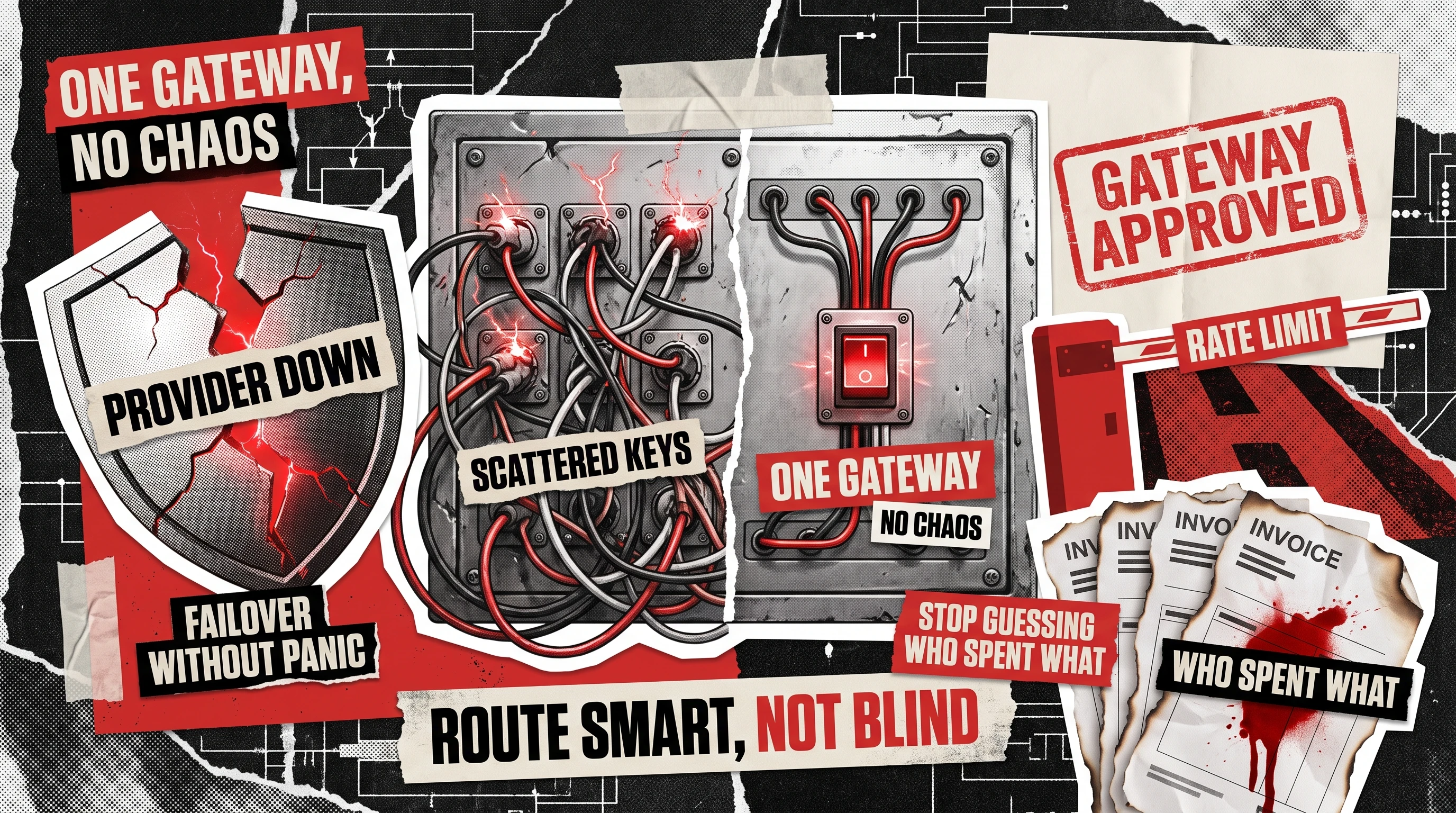
The moment your product calls more than one large language model, you face an infrastructure decision most teams postpone until it starts costing money. The choice is whether every service talks to each provider directly, or everything routes through one layer you control.
An AI gateway is a reverse proxy that sits between your applications and every LLM provider you use, giving you one place to handle failover, cost tracking, rate limits, and API keys. Enterprises running more than one model reach for it for the same reason they put a load balancer in front of web servers, to stop solving the same problem in ten different codebases. Our own large language model development work keeps confirming the same pattern: once an LLM feature scales past a single integration, the gateway question shows up on its own.
The pressure is real and recent. Deloitte’s January 2026 State of AI in the Enterprise survey of 3,235 leaders found only 25 percent had moved 40 percent or more of their AI pilots into production, and the distance between a demo and a dependable production system is exactly where this layer earns its place. Analysts at IDC describe a “constellation of models” becoming the new normal, which means the single-provider integration most teams began with is already behind the curve.
Three Problems an AI Gateway Actually Solves
A gateway earns its keep when it removes work you are currently repeating by hand in several places. Three problems pass that test cleanly, because each one gets worse every time you add a model, a team, or a customer. The sections below are specific about what the layer handles well.
Provider Failover Across OpenAI, Anthropic, and Google
When a single provider has a bad hour, every feature you built on it goes dark at the same moment. OpenAI’s ChatGPT and API went down for thousands of users in December 2025, one of several disruptions that year, and teams with no fallback simply waited it out while their support queue filled up. A gateway lets you register OpenAI, Anthropic, and Google Gemini behind one endpoint and shift traffic automatically when one starts returning errors or timing out.
Beyond uptime, the practical win is being able to change providers without a deploy. The routing rule lives in the gateway instead of hardcoded across every service that calls a model, so swapping a primary model for a cheaper or faster one becomes a configuration change rather than a release.
Cost Governance and Per-Team Attribution
Most AI cost surprises trace back to one root cause, nobody can see who spent the money. When a dozen services share one API key, the monthly invoice arrives as a single number with no breakdown, and no one can say which feature or customer drove the increase. A gateway tags every request with a team, an environment, and a use case, so spend turns into a report you can act on.
This is the same discipline you already apply to the rest of production. Treating token spend as something you instrument and watch continuously, rather than reconcile at month end, is what turns an AI budget from a guess into a forecast. A serious AI FinOps practice, tracking cost per request and cost per customer, depends on that per-team attribution existing at the gateway in the first place.
Unified, Token-Aware Rate Limiting
Provider limits are measured in tokens per minute, not requests per minute, so a naive per-request throttle either kicks in too early or lets one heavy job starve everyone else. A token-aware LLM router enforces limits in the same unit the provider bills in, and it does so across every application at once instead of one service at a time. That single vantage point is what makes the limits actually hold under load.
In practice, a gateway bundles three controls that are painful to build and coordinate separately. Each one is standard in a mature setup:
- Token budgets per team or key, so one runaway batch job cannot drain a whole department’s quota.
- Priority tiers, so customer-facing requests are served ahead of background summarization.
- Graceful backpressure, queuing or shedding load with a clear error instead of letting timeouts cascade.

Two Problems It Doesn't Solve (and What You Need Instead)
A gateway is plumbing, and plumbing has limits. Two capabilities get marketed as gateway features and then disappoint in production, because each one needs judgment or isolation that a proxy layer cannot provide on its own. Understanding the boundary before you buy saves a painful quarter of rework.
Quality Routing as a Classifier Problem
Vendors love the promise of sending easy prompts to a cheap model and hard prompts to an expensive one, automatically. The catch is that deciding a prompt is “easy” is itself a prediction, so quality-based AI model routing is really a classifier problem wearing an infrastructure costume. A proxy can route by static signals such as model name, header, or path, yet it has no reliable way to judge which model will answer a given prompt better.
Getting this right means training or tuning a small classifier on your own traffic and your own definition of a good answer, then measuring it against held-out examples. That is a machine learning effort with labeled data and evaluation, and it is the kind of work our AI and ML engineers scope on its own rather than treating it as a gateway checkbox.
Tenant Isolation Before the Model
If you serve multiple customers, one tenant’s data must never leak into another tenant’s prompt, cache, or logs. A gateway only sees a request after your application has already assembled it, which makes it the wrong layer to decide who is allowed to see what. Isolation has to happen upstream, in how you scope data, build context, and separate caches for each tenant.
The gateway still contributes by keeping per-tenant logs and separate keys, and that audit trail is genuinely useful. Real isolation, though, is an application and data-architecture decision that lives in your own code. When we take over a half-finished multi-tenant build, this is among the first things we audit, because a leak discovered after launch is expensive to unwind.
Build vs Buy vs Open Source
Once you accept that you need a gateway, the real question is how to get one without turning it into a side project that competes with your roadmap. There are three routes, and the right one depends on how much control you need over data and how much platform work you can staff. Many teams start with the open-source LiteLLM, then go looking for a liteLLM alternative once they need single sign-on, audit logs, and per-team budgets that a lightweight proxy was never designed to manage.
Time to first deployment
Weeks to months, engineering owns every integration
Days to stand up, but you own uptime and upgrades
Hours, the vendor runs uptime and upgrades
Data control
Full control, everything stays inside your infrastructure
Full control, self-hosted on your own infrastructure
Depends on the vendor’s data residency and retention terms
Ongoing maintenance
Your team patches, scales, and monitors it indefinitely
Community-maintained core, but you still run, patch, and upgrade it
The vendor patches, scales, and monitors it
Cost model
Engineering time only, no license fee
Free license, infrastructure and headcount cost remain
Per-request or per-seat pricing layered on top of provider costs
Best fit
Regulated enterprises with a dedicated platform team
Teams with DevOps capacity who want to avoid vendor lock-in
Teams that want gateway features live now without staffing a platform team
None of these routes is wrong on its own. The expensive mistake is drifting into a hand-rolled gateway by accident, adding one feature at a time until you quietly own a platform nobody planned to maintain.
The Gateway as Your New Secrets Boundary
Here is the shift most teams miss until a security review forces it. Once every model call passes through one layer, that layer holds every provider key, and it becomes the single most sensitive service you run. Treated with that respect, an LLM gateway shrinks your secrets problem from dozens of scattered keys down to one guarded boundary.
Concentration only counts as an improvement if the gateway is hardened like the boundary it now is. Provider keys should live in the gateway’s secret store and never in application code or environment files, application services should authenticate to the gateway with their own short-lived credentials, and every request should be logged with the identity that made it. Rotating a leaked key then becomes one change in one place instead of a hunt through every repository.
The failure mode worth naming is a gateway that logs full prompts and responses in plaintext, which quietly recreates the data-exposure risk you set out to contain. Log metadata by default, and redact or sample payloads on purpose rather than by accident.
From Scattered Keys to One Gateway
Most enterprises do not begin with a clean slate. They arrive here with keys already copied into a dozen services, each team having integrated whichever model it needed on its own timeline. Consolidating that safely, without breaking the features already serving customers, is the actual work.
The migration that succeeds is incremental rather than a rewrite. A practical order of operations looks like this:
- Review every place a model is called and every key in circulation across your services.
- Stand up the gateway and point one low-risk internal feature at it first.
- Move traffic service by service, keeping the old direct path as a fallback until each cutover is proven.
- Once everything routes through the gateway, revoke the old scattered keys and issue per-service credentials.
An AI gateway enterprise teams can trust is rarely the hard part here. The discipline of moving live traffic without a freeze is where these projects stall, and it is where a partner who has run the cutover before earns their fee. For a lighter first step at the edge, a hosted option such as Cloudflare’s AI Gateway for caching and cost control can cover early needs before you invest in a self-hosted layer.
Redwerk has built and consolidated model-integration layers on .NET and Python stacks, and our teams are used to walking non-technical stakeholders through exactly what changes and why, which is usually what keeps a migration like this calm. If you are weighing whether to build, buy, or consolidate what you already run, contact us and we will map your current setup and the shortest safe path to a single gateway.
FAQ
What is an AI gateway?
It is a reverse proxy that sits between your applications and the large language model providers you use, such as OpenAI, Anthropic, and Google. It gives you one place to manage API keys, fail over between providers, track spending per team, and enforce rate limits, instead of solving each of those in every service separately.
When do you need an LLM gateway?
You need one when more than one team or service calls a model, when you depend on more than one provider, or when a single shared API key makes it impossible to see who is spending what. Below that scale, a direct integration is simpler and a proxy adds latency for little gain.
LiteLLM vs Portkey: which should you choose?
LiteLLM is open source and self-hosted, so it fits teams that want full control of data and infrastructure and can staff the upkeep. Portkey is a managed service that trades some control for speed and built-in dashboards, guardrails, and analytics. Choose LiteLLM when data residency and cost control lead your decision, and Portkey when time to production and low maintenance matter more.
How do you route between multiple AI models?
Start with static rules the proxy can evaluate cheaply, by model name, request path, header, or team, which covers most needs. For quality-based routing, sending easy prompts to a cheap model and hard ones to a stronger model, you train a small classifier on your own traffic, because that decision is a prediction rather than a fixed rule. Keep a fallback model configured so a provider outage does not stop the feature.
See how we built an AI-powered recruitment app acquired by a US staffing giant