A document review pipeline either delivers or does not, and the gap between the two outcomes usually has nothing to do with model choice. It comes down to architecture decisions made in week one, prompt patterns chosen by use case, and a confidence routing strategy that survives contact with real documents.
This article walks through all three. You get the reference architecture, three prompt patterns that work in production, the failure modes that quietly destroy pipelines by week three, and a four-week build plan. Claude is the worked example because its long-context behavior, structured output reliability, and citation anchoring fit review work better than any frontier model. The patterns themselves transfer to other LLMs with minor adjustments.
Redwerk has built document-heavy systems since 2005, including Linktiger, a broken link checker crawling 3M+ links and used by Microsoft, Hosting.com, and the US Department of Transportation. The advice below on Claude document processing reflects how we would approach a fresh build today, after watching teams sink quarters into pipelines that never reached production.
When Document Review is Worth Automating
Not every workflow earns automation. Spending six weeks building an LLM pipeline for a process that runs twice a quarter wastes capital, and the math will not survive your next budget review.
Three signals tell you a workflow is worth the investment. Volume above 500 documents per month sits at the floor where labor savings exceed evaluation and prompt-engineering costs within a quarter. Semi-structured input means the same fields appear across documents even when layouts shift, like invoices, claims, or carrier paperwork. Rule extractability means a human reviewer can write the decision logic on one page.
Anti-signals matter equally. One-off review with no recurring volume, judgment that hinges on context outside the document, or batches small enough to cost more in instrumentation than in labor. Deloitte’s State of AI in the Enterprise 2026 report shows two-thirds of organizations citing productivity as their top AI benefit, but only when the use case is scoped tight. A clean AI document review process beats a clever one that never makes it past pilot.
Treat the document review automation workflow as a product. One document type, evaluation set first, earn the right to scale. This discipline our AI automation agency practice applies to every document pipeline we ship, and it is what separates a working system from a pilot that never escapes the demo stage.
Claude AI Document Processing Capabilities That Matter for Review Work
Feature lists from vendors usually hide what matters. Four Claude capabilities actually change how you architect a review pipeline, and ignoring any of them adds engineering weeks you do not need to spend. The capabilities below assume you are working with Claude Sonnet 4.6 or Claude Opus 4.7, the models currently in production for document workloads.
The first is the long-context window. Claude Sonnet handles most contracts and policy documents in a single pass, which moves chunking from default behavior to fallback for documents over 200 pages.
The second is native PDF input, where Claude reads both text and visual layout (tables, signatures, stamps) without a separate parsing layer for native digital PDFs.
The third is structured output enforcement, where JSON schemas constrain responses reliably enough to skip most post-processing logic.
The fourth is citation anchoring, where Claude returns page numbers and source spans next to extracted values, giving you a deterministic check against hallucinated content.
Together these four are why document extraction with LLM moved from research demo to production-ready inside eighteen months. For teams without senior LLM engineering on staff, this is where large language model development starts being more about disciplined integration than research. Get the four capabilities right and the rest of the pipeline becomes ordinary engineering.
The Reference Architecture for Claude Document Processing Pipelines
Five layers carry every production pipeline. Skip one and you will rebuild it inside three months, usually under deadline pressure.
- Ingestion layer. PDFs, DOCX, scans, and email attachments enter through queue-based intake. Every scan gets pre-OCR before Claude touches it, because asking a reasoning model to OCR low-quality scans wastes tokens and accuracy.
- Pre-processing. Document classification (contract vs invoice vs claim) routes each file to the right prompt. Chunking strategy and metadata enrichment happen here, ahead of inference time.
- Claude API layer. Prompt routing by document type, model selection (Sonnet for volume, Opus for high-stakes), and structured output enforcement live here. Prompt caching cuts costs at scale.
- Confidence scoring and routing. Per-field confidence scores feed a three-lane router. Retry logic catches transient failures before they reach a human queue.
- Output formatter. JSON validated against schema, audit log written, downstream push to your CLM, claims platform, or ERP.
Most teams underestimate how much engineering lives outside the prompt. The top LLM frameworks handle retries, schema validation, and observability that would otherwise eat a sprint or two of custom code. A clean AI document processing workflow is how you automate document processing with AI without rebuilding the pipeline every quarter. When you need this shape of system built end to end, our Claude automation services cover the full stack from ingestion to downstream integration.
Three Prompt Patterns That Work in Production
Most pipelines stall at the prompt layer, well before the model itself becomes the issue. We use three patterns across document review system we touch, and each one solves a different production problem. They combine in the same pipeline.
Pattern 1: Structured Extraction with Field-Level Confidence
This pattern fits invoice line items, claim metadata, carrier documents, and most semi-structured intake. The prompt asks Claude to return JSON matching a fixed schema, with a confidence score per field between 0 and 1.
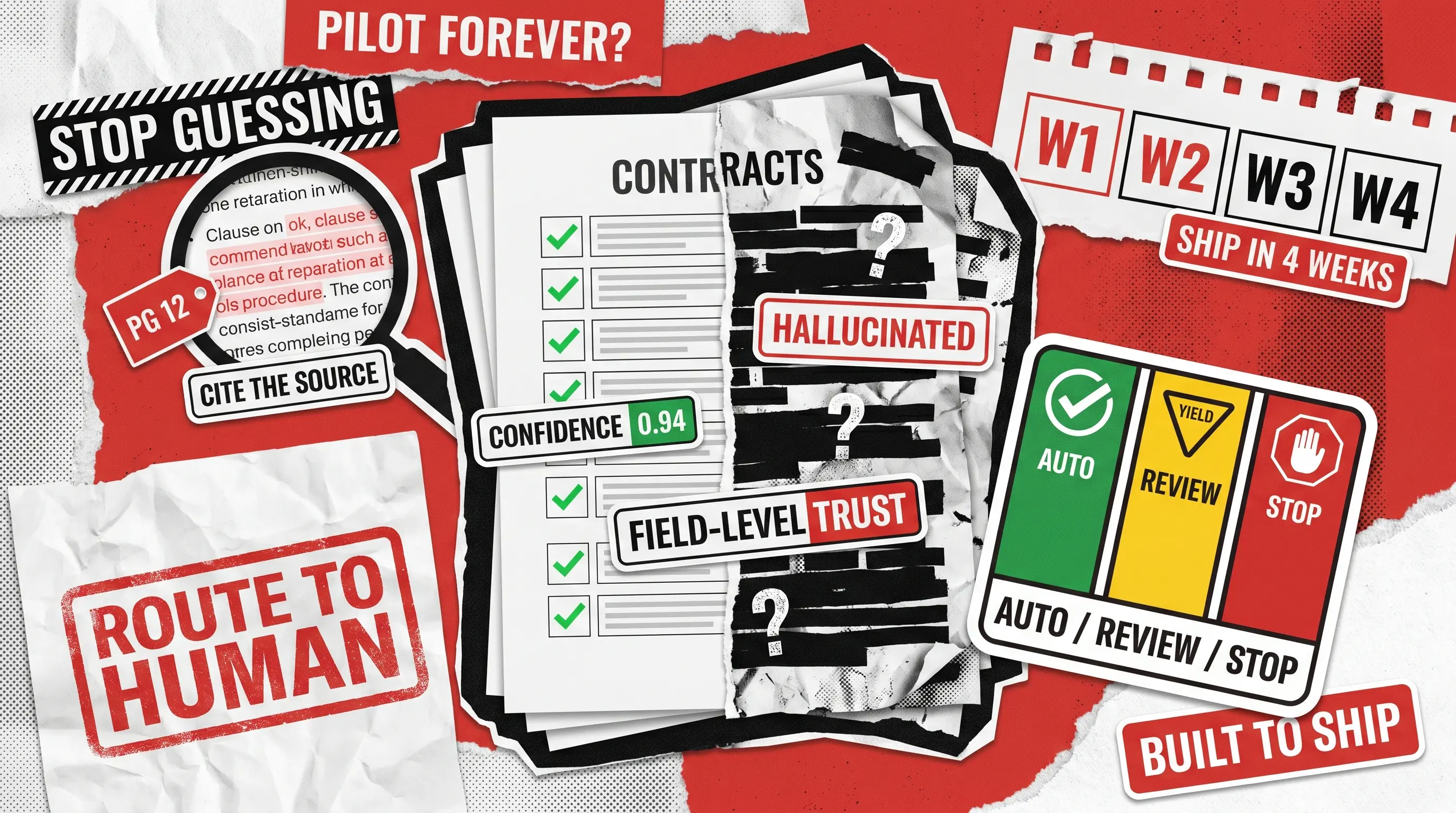
The downstream router gets something usable. Every field above 0.9 auto-approves, anything below 0.7 routes to a human, and the middle band triggers a retry on the stronger model. Field-level confidence beats document-level confidence because errors cluster in specific fields rather than spreading evenly across the document. Tuning gates field by field gives you accuracy where it matters without slowing throughput on the rest.
Pattern 2: Source-Anchored Citation Extraction for Contract Review
This shows how to extract data from contracts using AI when the stakes prevent you from trusting a single extraction pass. The prompt instructs Claude to return, alongside each extracted value, the page number and exact source span where the value appears. Automated clause extraction, deviation detection from a playbook, and obligation tracking all run on this pattern.
Hallucinations get caught instantly. Either the citation matches the source verbatim, or it does not. Anthropic’s own legal summarization guidance recommends XML-tagged outputs for the same reason, since post-processing becomes deterministic. For LLM contract analysis at any meaningful volume, this is the only pattern that scales without weekly accuracy regressions. It is also how teams automate contract review with AI while keeping legal counsel comfortable with the outputs.
Pattern 3: Two-Pass Verifier Loop for High-Stakes Review
Master service agreements, large insurance claims, and regulatory filings deserve more than a single extraction pass. The first call extracts, the second independently verifies the extraction against the source document. Disagreements escalate to a human reviewer.
The cost roughly doubles in tokens, and the error rate drops noticeably on documents where errors are expensive. Beyond a certain complexity threshold, the verifier crosses into proper multi-agent orchestration, with extractor and verifier running as separate agents with their own context and tools. Skip this pattern on high-volume, low-stakes work where the cost trade-off does not justify the gain.
How to Feed Claude Long Documents Without Losing Context
Sonnet’s context window now handles most contracts in a single pass, and that changes the chunking conversation. Whether to chunk at all comes first, well before how to chunk. The default question has shifted, and getting it wrong adds cost without adding accuracy.
When you do chunk, chunk semantically rather than by token count. Split by heading, section, or clause boundary, keep tables and code blocks intact, and overlap chunks by 100 tokens to catch cross-page references. Practical defaults: 600 to 800 tokens per chunk, with metadata per chunk including document type, section title, page range, and source URI.
Prompt caching belongs in every long-document workflow. Anything that does not change between documents (system prompt, schema, few-shot examples) gets cached, which cuts both latency and cost meaningfully at volume. This applies whether you are running batch jobs or interactive review, and it is one of the cleanest wins in how to automate document processing at scale.
When to Trust Claude and When to Route to a Human
Binary approve-or-reject gates are where document automation projects go to fail. They produce false confidence on the auto-approve side and overwhelm reviewers on the reject side, and they teach the team to distrust the system. Build a three-lane router instead.
Lane one auto-approves when every field clears the confidence threshold, typically 0.9. Lane two recommends human review when any field falls in the middle band (0.7 to 0.9), with Claude’s reasoning visible to the reviewer. Lane three hard-stops when any field comes back below 0.7 or when document classification itself is uncertain. Tune thresholds against a labeled eval set rather than a marketing default.
Two metrics matter for any AI contract review process. The false-approve rate measures how often you auto-approve something a human would have caught, which is your accuracy ceiling. The human-review rate measures the work left on the team, which is your ROI. Thomson Reuters research on AI accuracy notes that half of practitioners cite demonstrable accuracy as the biggest barrier to AI investment, and labeled eval sets are the only credible way to demonstrate it.

Five Ways Document Automation Breaks in Production
Pipelines fail in predictable ways, and every team learns the same lessons. Below are five failure modes we often see, with fixes that work. Treat the list as a pre-flight check before you go live.
1
Hallucinated fields when the source does not contain the data
Require null plus a reason when a field is absent. Penalize confident extraction of missing data in the prompt.
2
JSON output drift across runs
Use Claude’s structured output mode, validate against schema, retry once on parse failure, route to human on second failure.
3
Cross-page references missed in long documents
Chunk overlap plus a metadata index. Define-once-reference-elsewhere is the default pattern in contracts.
4
Scanned PDFs with poor OCR
Pre-process with a dedicated OCR layer (Textract, Azure Document Intelligence, or Tesseract). Never ask Claude to OCR and reason in one shot.
5
Prompt regressions on edge cases
Build a golden dataset of 30 to 50 labeled documents on day one. Re-run before every prompt change.
The fifth one matters most. Most teams deploy a prompt change and notice the regression three weeks later, in production, when a customer complains. The same eval discipline applies on the development side, where the right Claude Code plugins help catch issues before merge. Reliable how to automate contract review depends on this discipline as much as on prompt design.
From Playbook to Pipeline
The difference between teams that ship and teams that pilot forever sits in three places. A labeled eval set on day one, confidence routing instead of binary gates, and prompt patterns chosen by use case rather than copied off Reddit. Get those three right and the rest is engineering.
Four weeks gets you to a working pipeline. Week one scopes the document types, builds the eval set, and designs the schema with the downstream system owner. Week two stands up ingestion, OCR fallback, classification, and chunking. Week three wires confidence routing, the human review UI, and downstream integration. Week four runs the full eval set, tunes thresholds, ships to shadow-mode, and flips to production after the human team validates the outputs.
In-house works when you have a senior engineer with LLM experience and a product owner who can decide schema questions inside a day. When either is missing, a partner with document-system history will close the gap faster. If you are mapping out the build for your team, contact us and we will help you scope the first document type.
See how we reduced manual admin tasks by 40% for a booking platform trusted by 100+ Australian government institutions.