What’s the biggest mistake you can make when building an AI product?
Choosing the wrong framework is definitely in the top three. Because getting this choice wrong means your product will likely be unviable, unscalable, or way too expensive to build.
This guide will help you avoid that mistake. Two of the most powerful and popular open-source frameworks for building applications powered by large language models (LLMs) are LangChain and LangGraph. Below, we will provide a detailed LangGraph vs LangChain comparison to help you decide which to choose based on your business goals.
Both these frameworks come from the same ecosystem. Both are battle-tested by companies like Uber, LinkedIn, Replit, and Elastic. But they solve fundamentally different problems, and picking the wrong one can cost you months of rework.
This guide breaks down what each framework does, when to use one over the other, and how combining them can give you a serious edge in the market. No jargon. No fluff. Just the insight you need to make a smart architectural decision.
LangGraph vs LangChain Differences: Bird’s-Eye View
Here’s a simple, high-level explanation of the LangChain and LangGraph frameworks and their differences for those who don’t have time to parse the detailed text below.
LangChain is an open-source framework for building LLM-powered apps by assembling reusable building blocks, such as:
- Model connectors
- Prompt templates
- RAG (Retrieval-Augmented Generation) tools
- AI agents
- Integrations with databases
- Integrations with SaaS systems
The flow of working with this framework goes like this: idea → prototype → production. Use it when you need an AI feature in your product quickly, with reliable integrations.
The very name of the framework offers a hint: its modular structure is built around the concept of chains. Data flows in one direction: input goes in, is processed step by step, and a result comes out. Imagine a well-organized assembly line. Raw material enters at one end, passes through a series of stations, and a finished product rolls off the other.
For example, a typical LangChain workflow might look like this:
- Fetch a document from your company database
- Summarize it using an AI model
- Generate a customer-facing answer based on that summary
Meanwhile, LangGraph is a ‘workflow engine’ for agent systems. It’s built for branching, looping, retries, human handoffs, and persistence, meaning the stuff real production workflows need when the happy path breaks. Essentially, LangGraph is your AI command center.
The main LangGraph vs LangChain difference is that instead of a straight assembly line (chain), LangGraph organizes work as a graph — a network of interconnected tasks (called nodes) with flexible pathways (called edges) between them.
This means your AI application can loop back, branch out, make decisions on the fly, pause for human approval, and recover from errors — all without losing track of what it was doing. Think of it as a command center where multiple specialists coordinate in real time, rather than a single conveyor belt. In September 2025, LangGraph reached its stable 1.0 release, making it the first production-grade, durable agent framework on the market and taking a special place among today’s top LLM frameworks.
LangChain vs LangGraph Comparison at a Glance
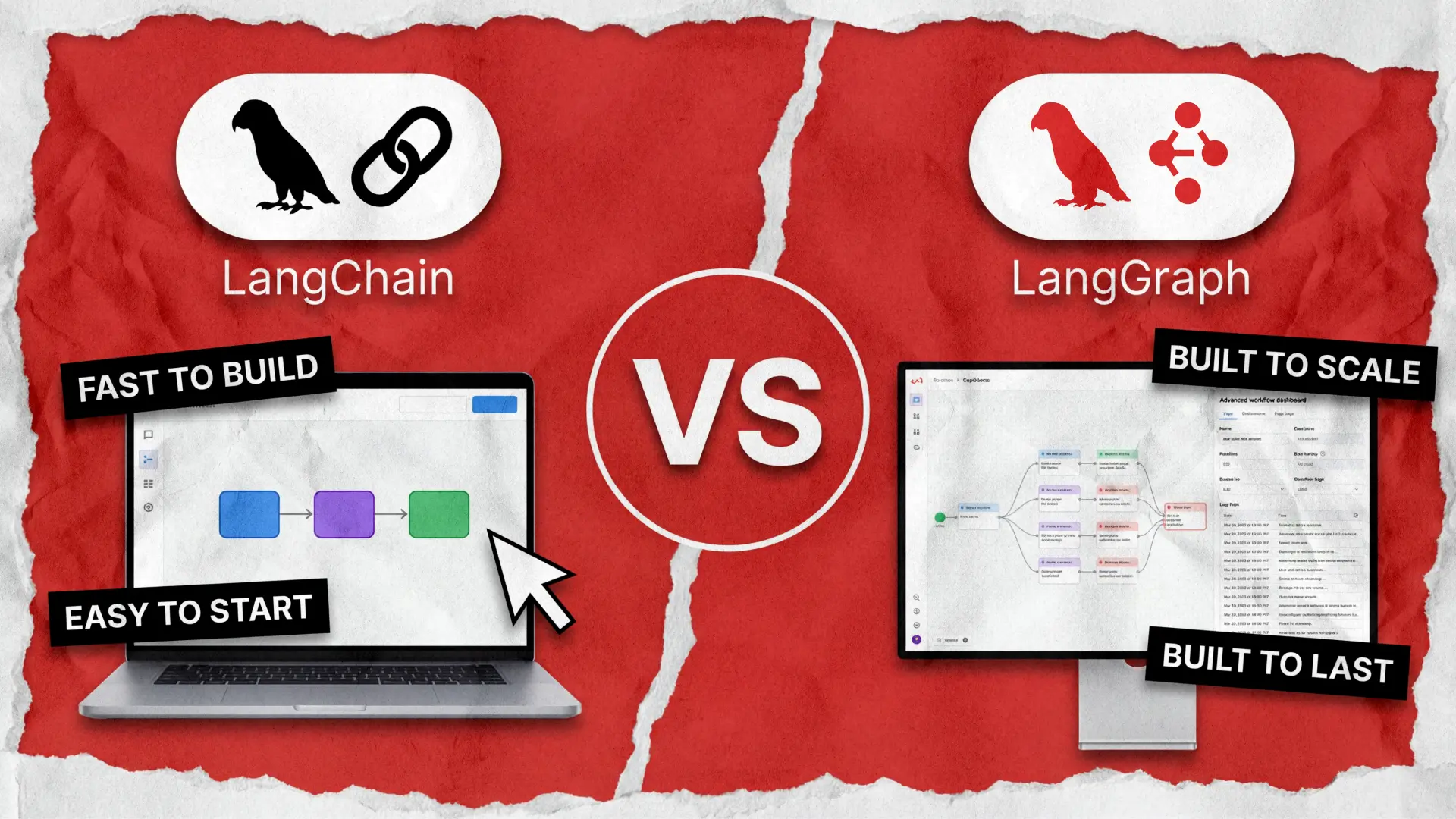
LangChain vs LangGraph differences in one sentence: LangChain helps you build AI features fast, while LangGraph ensures those features run reliably as real business workflows.
Core purpose
Framework for quickly building LLM-powered features and applications using reusable components
Workflow orchestration framework for building stateful, multi-step AI processes and agents
Primary focus
Speed, integrations, and rapid productization
Reliability, control, and complex workflow management
Mental model
“Chains” of steps and high-level abstractions
Graph of nodes, edges, and shared state
Best for
Adding AI features to apps (chat, RAG, copilots, automation)
Orchestrating business processes with AI (decision flows, multi-agent systems)
Complexity level
Lower: faster to learn and implement
Higher: more architectural planning required
Workflow type
Mostly linear or moderately branching
Highly branching, looping, and conditional
State management
Basic conversational memory and context handling
Advanced persistent state across long-running workflows
Error handling & retries
Possible but not core design focus
First-class support (retries, fallbacks, checkpoints)
Human-in-the-loop support
Implemented at the application level
Native pattern in workflow design
Typical app examples
- Chat with your data (RAG)
- Content generation
- Internal copilots
- Simple task agents
- Customer support resolution engines
- Multi-agent research systems
- Compliance workflows
- AI proce
Time to MVP
Very fast
Moderate
Production robustness
Good for many use cases
Excellent for mission-critical workflows
Integration ecosystem
Extensive connectors to models, vector DBs, tools, and APIs
Uses the LangChain ecosystem but focuses on orchestration
When it’s the best choice
When speed to market and feature delivery matter most
When predictability, governance, and workflow resilience matter most
How they work together
Provides tools, models, and retrieval components
Orchestrates those components into durable workflows
Business value angle
Fast ROI through quick AI feature rollout
Risk reduction and operational reliability at scale
When to Use LangChain vs LangGraph
To put it simply, you should use LangChain when your priorities are speed and integrations. This framework shines when you want to add AI capabilities into an existing product (or build an MVP) without reinventing plumbing.
It’s the best fit for the following app types:
- RAG or Chatbots with Your Data
Internal knowledge assistant over docs, policies, product manuals, and CRM notes, or a customer-facing support bot grounded in your help center.LangChain is best for these tools because it offers a rich integration ecosystem and well-trodden patterns for retrieval, prompts, tool calling, and provider flexibility. - Content & Document Automation
Tools that provide summaries, extraction, classification, translation, drafting emails, or proposals.
LangChain is the top choice here due to its quick assembly of model calls, templates, and structured outputs. - Copilot Inside a Product
AI assistance embedded in SaaS flows (search, explain, recommend next steps).
This framework consists of pragmatic building blocks and offers high interoperability across LLM vendors. It means you can use it for any type of LLM development, regardless of whether your primary choice is Claude, Llama, or GPT. - Straightforward Tool-Using Agents
Tools that automate basic repetitive tasks, such as ‘check order status’ or ‘create ticket’.
With LangChain, you can quickly build a working agent using prebuilt patterns and tools.
During a LangChain vs LangGraph framework comparison, choose LangChain if the workflow is mostly linear and your main risk is time-to-market. It allows you to build AI features quickly as your workflow follows a clear sequence from start to finish. Also, choose LangChain when your AI application does not need to make complex runtime decisions or coordinate multiple agents.
When to Use LangGraph vs LangChain
LangGraph is a strong fit when your AI app is not a single chatbot, but a process: multiple steps, decisions, exceptions, and handoffs. It’s the best choice for the following:
- Customer Support Resolution Flows
The graph-based architecture ensures the system can handle branching logic, retries, and long-running processes without losing context. As an example, consider an AI assistant that manages property operations: it needs to query information, send messages, schedule actions, handle billing, and coordinate with vendors — all while tracking the state of dozens of ongoing tasks.This framework is the best choice here because graph workflows map cleanly to real support logic (guardrails → route → tools → fallback → human handoff). - Multi-Agent Systems
Some of the most powerful AI applications today use multiple specialized agents working together. One agent might research information, another drafts a response through LLM inference, and a third reviews it for quality.In a LangGraph vs LangChain agents comparison, the former was purpose-built for this pattern, giving each agent its own role within a coordinated graph. - Applications Requiring Human-in-the-Loop Approval
In high-stakes domains like healthcare, finance, and legal, you often cannot let AI act without human oversight. LangGraph has first-class support for pausing a workflow, presenting results to a human for review or approval, and then resuming exactly where it left off.Komodo Health, for instance, uses LangGraph to power AI agents in the highly regulated healthcare space, where human oversight is not optional. - Production-Grade AI Agents
If your AI application needs to be reliable day in, day out, LangGraph provides enterprise-grade features out of the box. These include durable state persistence (so your agent picks up where it left off even after a server restart), built-in error handling and retries, real-time streaming of agent reasoning, and comprehensive debugging and monitoring tools via LangSmith.These are not nice-to-haves, but mandatory requirements for any serious production system.
To sum it all up, the main LangGraph vs LangGhain agents differences lie in the scope. If your workflow needs branching, loops, retries, or human-in-the-loop, pick LangGraph. It’s used for building AI applications that need to think, adapt, and coordinate — not just execute.
When to Use Both LangGraph + LangChain (and Why the Combo Wins)
Here is where things get really interesting. In the real world, it’s usually not the case of LangChain vs LangGraph. These frameworks are designed to work together — and the companies building the most competitive AI products on the market today are using both.
The concept is elegantly simple:
- Use LangChain’s modular components (document loaders, vector stores, model interfaces, prompt templates) as the building blocks.
- Use LangGraph’s graph-based orchestration as the intelligent control layer that coordinates them.
In practice, it looks something like this AI-powered research assistant for an investment firm breakdown:
- The system needs to pull financial data from multiple sources (LangChain)
- Analyze the data using different AI models (LangChain)
- Synthesize findings into an investment brief and route it for compliance review (human-in-the-loop via LangGraph)
- Handle feedback loops if the compliance team requests changes (LangGraph)
- Publish the approved brief (LangGraph)
Choosing to combine these frameworks instead of fixating on LangChain agents vs LangGraph can give your business a competitive edge because of:
- Faster Time to Market
LangChain lets you build and validate individual AI capabilities quickly. LangGraph lets you wire them into a sophisticated, production-ready system without rewriting a single line of code. - Lower Risks
You start with simple chains and only introduce graph-based complexity where the business logic demands it. This keeps your architecture as simple as possible and no simpler. - Future-Proof Architecture
As your product evolves and requirements grow, LangGraph gives you a clear upgrade path from prototype to production without a painful migration. LangChain agents are now built on the LangGraph runtime, so you are never locked in. - Enterprise Readiness
The combination gives you modularity, reliability, observability, and control. These are the four pillars on which enterprise software development for AI solutions is built.
Let’s take a look at LinkedIn’s AI-powered recruiter as an example of this approach in action. They use LangChain components for natural language processing and data retrieval, wrapped in a LangGraph hierarchical agent system that coordinates candidate sourcing, matching, and messaging. The result freed their human recruiters to focus on strategy instead of repetitive screening tasks.
So, Is It LangGraph vs LangChain? How to Select the Best Framework for Your AI Project
Choosing between LangChain and LangGraph (or deciding to use both) ultimately comes down to three questions about your project:
- How Complex Is Your Workflow?
If your AI application follows a predictable, linear path — retrieve, process, respond — LangChain is your fastest and most cost-efficient route.If your workflow involves branching decisions, loops, retries, or multiple agents collaborating, LangGraph is the right choice. - What Are Your Production Requirements?
For internal tools, prototypes, or low-stakes applications, LangChain’s simplicity is an advantage.
For customer-facing products, regulated industries, or any scenario where downtime and errors carry real business costs, LangGraph’s durability, state management, and human-in-the-loop features are essential. - Where Is Your Product Headed?
If today’s simple chatbot will evolve into tomorrow’s multi-agent AI platform, starting with both frameworks from the beginning — LangChain for components, LangGraph for orchestration — avoids costly rearchitecting down the road.
Most importantly, remember that the frameworks you choose today will determine how quickly you can ship, how reliably your product performs, and how easily you can adapt as the technology evolves. LangChain and LangGraph, used thoughtfully, give you the foundation to build AI products that are not just functional — but genuinely competitive.
The best time to get your architecture right is before you start AI software development. If you are planning an AI-powered product or exploring how to integrate AI into your existing systems, we would love to help. Our engineering team has deep experience designing, building, and deploying LLM-based applications with these exact frameworks. Let’s talk about what the right architecture looks like for your business.
FAQ
What is LangChain?
LangChain is an open-source framework for building applications powered by large language models (LLMs). It provides ready-made components for prompts, data retrieval, integrations, and tool use. This helps teams quickly add AI capabilities to products without having to build everything from scratch. It’s widely used to turn LLM ideas into working features fast.
What is LangChain used for?
LangChain is commonly used to build AI features such as chatbots, ‘chat with your data’ assistants (RAG), content automation, and product copilots. It simplifies connecting models to company data, APIs, and workflows. Businesses use it to accelerate development and reduce time to market for AI-driven functionality.
What is LangGraph?
LangGraph is a framework for orchestrating complex, stateful AI workflows using a graph-based approach. It’s designed for multi-step processes, long-running tasks, and agent systems that need branching logic and control. This makes it ideal for production environments where reliability and governance matter.
When to use LangChain vs LangGraph?
Use LangChain when you need to quickly build AI features like chat, RAG, or simple automation. Use LangGraph when your AI solution involves complex workflows, multiple steps, or human approvals. Many production systems combine both: LangChain for integrations and LangGraph for orchestration.
See how we built an AI-powered recruitment app bought by a US staffing giant