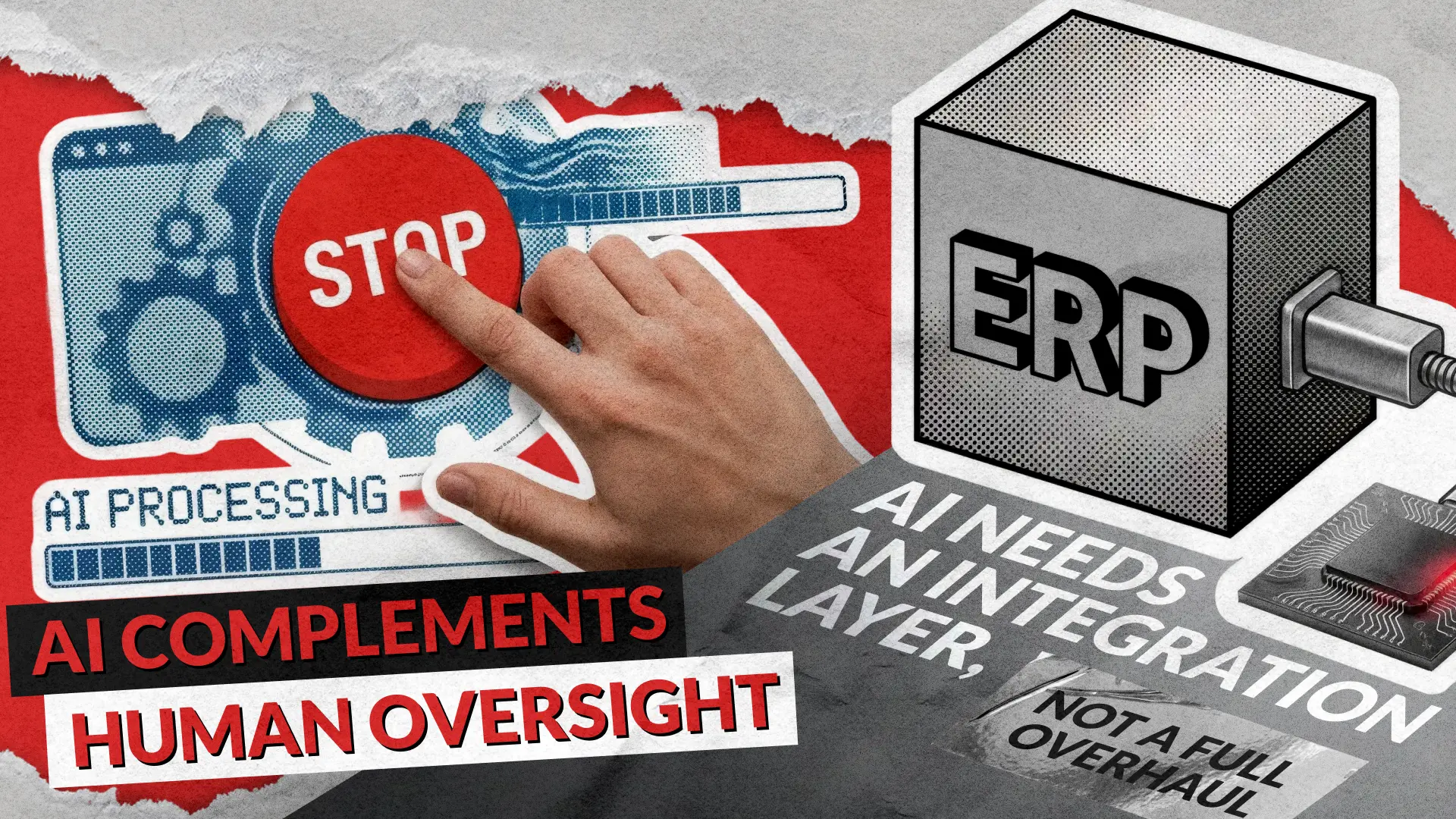
Integrating AI into legacy ERP systems is not a “nice-to-have” anymore; it is how you squeeze extra years of value from platforms you already paid millions for while unlocking ERP automation, predictive planning, and insight-based decisions without a full rewrite. The trick is doing it without breaking what still works, falling out of compliance, or creating an unmaintainable Frankenstein of old code plus shiny models. This guide walks through real AI integration challenges in ERP legacy systems and shows how to design ERP modernization that is safe, measurable, and boringly reliable in production.
Why AI + Legacy ERP Is Worth the Pain
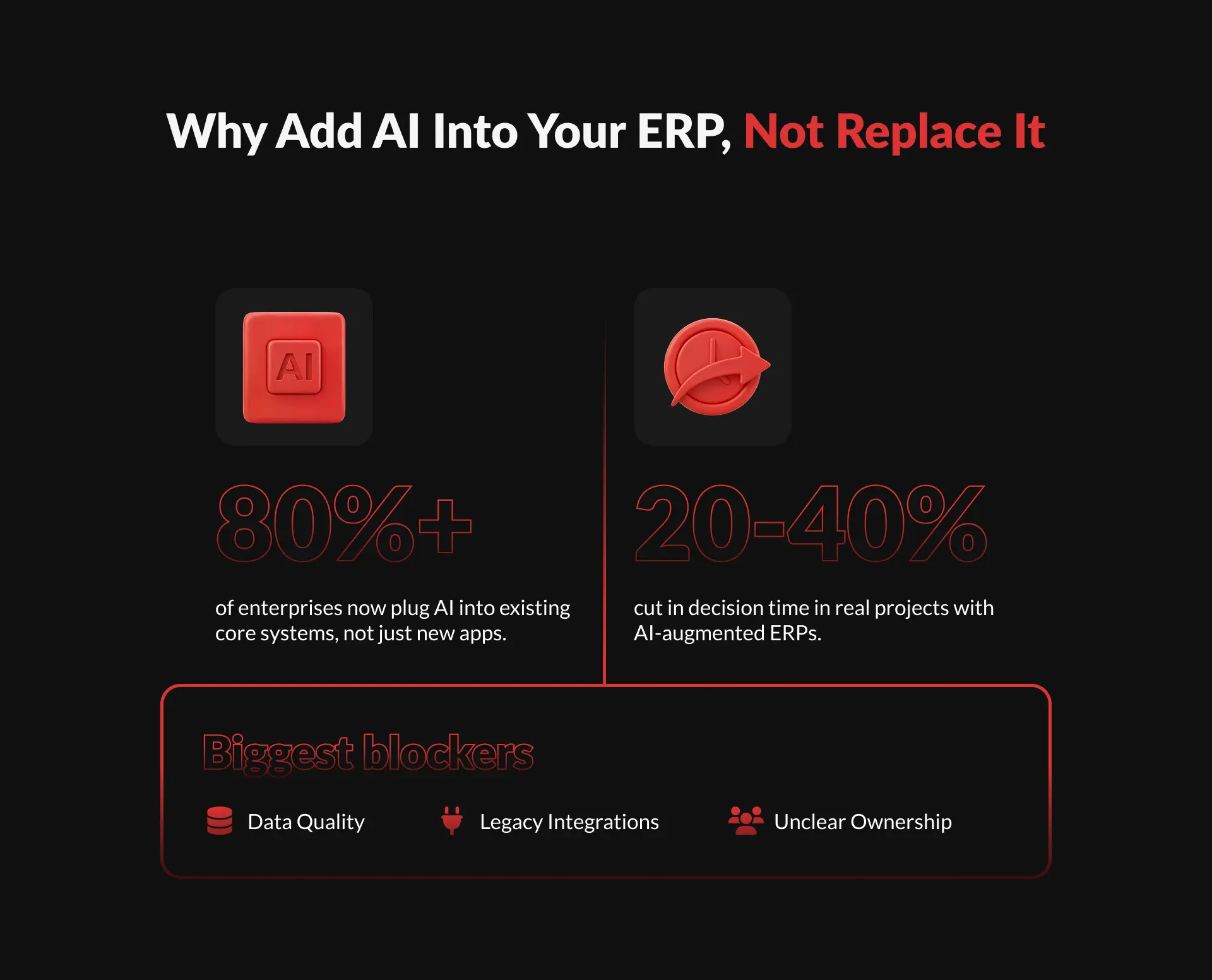
Most enterprises still run their business on ERP legacy systems built long before AI implementation was even a thing. At the same time, boards and investors push for ERP modernization that brings predictive insights, automation, and real cost control instead of another five-year migration saga. Recent 2025 data on enterprise AI shows that organizations embedding AI directly into core workflows and systems, rather than rebuilding everything from scratch, achieve around 20-30% productivity improvements and up to 40% faster decision cycles, along with significant operating cost reductions.
- For CFOs and COOs, AI integration into ERP legacy systems commonly targets three levers first: forecast accuracy, working capital optimization, and labor-intensive back-office processes.
- For IT, the pitch is simpler: use AI development to extend the life of existing ERP legacy systems instead of funding multi-year replatforming with unclear payback.
- For product and operations teams, ERP automation powered by AI means fewer manual approvals, fewer spreadsheets, and fewer late-night phone calls about “why the numbers don’t match”.
The Five Core AI Integration Challenges
Most failures around AI integration challenges in legacy ERP systems fall into five buckets: architecture, data, performance, governance, and culture/skills. Skipping any of them is how you get cool demos and ugly incidents in production. Let’s walk through each one from the “what goes wrong” angle first, then fix it in the next sections so AI implementation becomes systematic, not heroic.
Architectural incompatibility
Monolithic ERP, no clean APIs, batch jobs only
Real-time AI in ERP is impossible; everything becomes overnight exports
Fragmented data
Inconsistent schemas, duplicates, missing master data
Models drift or give conflicting outputs across modules
Performance & scalability
Extra latency from external AI services, no caching, blocking calls
Users abandon AI automation features because they “slow the ERP down”
Security & compliance
Sensitive records sent to external LLMs, unclear data residency and logging
Violations of GDPR/sector rules, audit findings, and integration rollbacks
Skills & change management
Ops teams can’t monitor models; business doesn’t trust AI output
Shadow spreadsheets return, adoption stalls, ROI disappears
Challenge 1: Monolithic ERP Architecture vs AI
Many legacy ERP systems were designed for nightly batch jobs and on-prem modules, not streaming data into cloud AI development platforms. Many organizations struggle with architectural incompatibility when connecting legacy platforms to modern cloud and AI agent services, which translates into brittle point-to-point integrations and painful upgrades. When you hard-wire models directly into the ERP core code, every new AI feature becomes a mini-upgrade project, and every ERP patch risks breaking your AI integration layer.
- Typical anti-patterns include calling third-party AI APIs directly from ERP business logic, mixing model configuration with ERP configuration tables, and duplicating integration logic per module.
- Over time, these shortcuts lead to an “AI spaghetti architecture” where nobody remembers which model feeds which workflow, making audits, debugging, and ERP modernization harder than embedding AI within legacy ERP systems implementation.
Solution: Use an AI Adapter Layer, Not Direct Wiring
To neutralize architectural AI integration challenges, you need a dedicated AI adapter layer that sits between ERP legacy systems and model providers or internal ML services. Think of it as a contract: ERP sends structured requests; the adapter handles model selection, calls, retries, and returns normalized responses so ERP stays stable even when AI tooling changes. This approach also makes vendor switching and hybrid on-prem / cloud setups far less painful for long-lived legacy ERP systems.
In practice, the adapter layer can be a set of microservices or a well-defined integration hub that exposes REST or gRPC endpoints to your ERP while talking to internal AI development services, LLMs, or external APIs.
Putting logging, rate limiting, and feature flags into this layer also lets you A/B test new AI in ERP features, roll back quickly on failure, and decouple ERP release cycles from model release cycles.
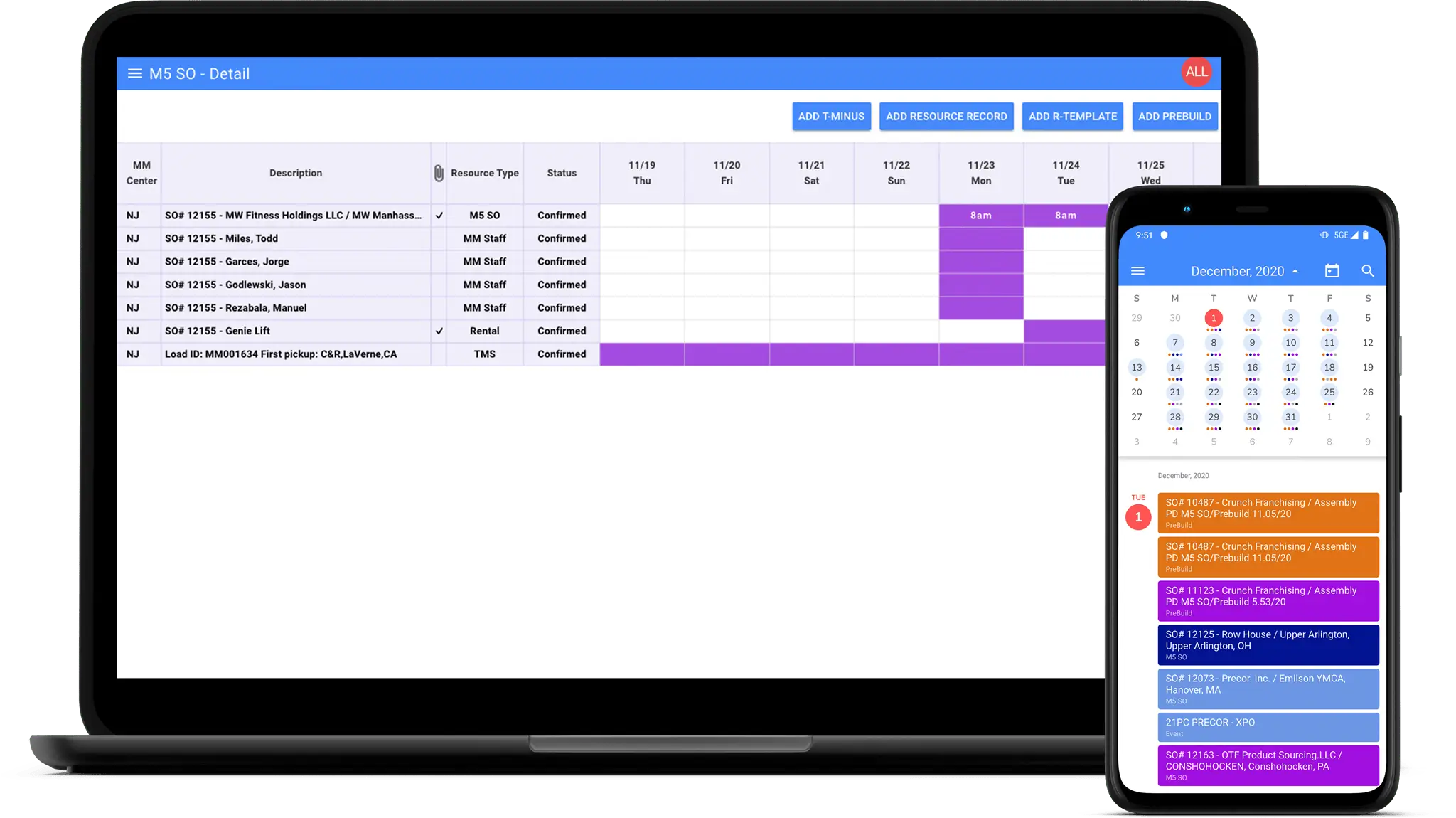
When you reach the point where architecture changes feel too risky to do solo, it helps to bring in a team that lives inside large systems all day. That’s exactly where our enterprise software development work comes in: mapping your current ERP landscape, designing the AI adapter layer, and rolling it out step by step so you get new competencies without jeopardizing the core that runs your business. We’ve done this before — building a custom resource planner for Mass Movement (now part of J.B. Hunt) that handles order management, load tracking, and field service coordination across web, iOS, Android, and Windows, with SQL-to-cloud data pipelines tying it all together.
Challenge 2: Dirty, Fragmented ERP Data
Even the smartest AI will hallucinate in very boring ways if the underlying ERP legacy systems contain inconsistent, duplicated, or outdated data. Gartner estimates that by the end of 2026, six out of ten AI initiatives will be scrapped because the underlying data wasn’t prepared for AI integration. Legacy ERPs often store customer, supplier, and product data across multiple modules and side systems; each team has “their truth,” so AI in ERP must reconcile the disorder prior to providing reliable ERP automation.
Typical signs include different credit limits for the same customer across modules, inconsistent payment terms, or partial transaction histories living in disconnected archives.
If you feed that directly into forecasting or anomaly-detection models, you get false positives, wrong recommendations, and immediate skepticism from finance and operations stakeholders.
Solution: Data Contracts, MDM, and Feature Stores
Fixing data for AI implementation in legacy ERP systems is less about fancy models and more about disciplined plumbing: master data management (MDM), data contracts, and feature stores. A data contract is simply a documented agreement on what fields mean, how they are typed, and which system owns them, which reduces “interpretation by rumor” when models use those fields. A feature store then centralizes preprocessed input variables so AI services and analytical tools reuse consistent signals instead of re-implementing logic everywhere.
For ERP modernization, a pragmatic path is to start by cleaning and governing a single high-value data domain like orders or inventory, expose it through stable interfaces, and only then plug in AI development for forecasting, risk scoring, or recommendation use cases.
If your current codebase makes this type of data refactoring risky, a legacy codebase review helps reveal where to start.
Challenge 3: Performance, Latency, and Reliability
Users will happily ignore your shiny AI in ERP feature if it adds five seconds to every order entry or invoice approval. Legacy ERPs often run on fixed hardware profiles and are tuned for transaction processing, not for external AI calls that can spike in regarding latency or fail under load. If AI integration happens synchronously in critical flows without timeouts, fallbacks, and caching, you risk turning your ERP into a queue waiting for models instead of serving users.
This problem grows when you chain multiple models together, such as classification first, then recommendation, then summarization. Existing ERP platforms have their own network and compute overhead.
Without clear SLAs and observability, operations teams get stuck between “the ERP is slow” and “the AI service looks normal from our side,” with no way to prove or fix anything quickly.
Solution: Async Patterns, Caching, and SLOs
Treat AI services as potentially slow dependencies and architect AI implementation around that reality using asynchronous patterns, local caching, and clear service-level objectives. For example, you can run model inference in the background, precompute recommendations for high-value accounts, and fetch them instantly when user sessions open, instead of blocking the ERP screen. Defining target response times, error budgets, and retry strategies up front turns performance from guesswork into engineering.
Caching helps AI respond much faster by removing repeated calculations. Modern caching can make systems up to 100 times faster, turning long waits into almost instant responses. This improves the user experience and lowers costs by reducing repeated model calls. For example, an ERP AI chatbot can answer common questions quickly during busy periods by reusing cached RAG (Retrieval-Augmented Generation) results.
Embedding distributed tracing and structured logs into the AI adapter layer also gives SRE and DevOps teams the visibility needed to spot failing models or regions before users start opening tickets.
Challenge 4: Security, Privacy, and Compliance
Sending ERP data into external AI services without guardrails is a fast route to compliance issues, especially in regulated sectors like finance, healthcare, and the public sector. Regulators increasingly treat AI-supported decision-making as part of the same control framework as traditional IT, which means models must be explainable, auditable, and governed, not just “experimental.” The EU’s AI Act and sector regulations in 2024-2025 explicitly call out requirements for risk classification, data protection, and manual review over AI-assisted processes.
Typical violations include sending full personal records to general-purpose LLMs, storing prompts and outputs with identifiers in third-party logs, and letting models drive approvals without human review for high-risk decisions.
Once auditors find these paths, the usual response is drastic: disabling AI in ERP features entirely until controls are redesigned, wiping out any early ROI.
Solution: Privacy by Design and AI Governance
Successful AI integration into legacy ERP systems treats security and governance as first-class requirements, not afterthoughts. This includes data limitations, pseudonymization where possible, role-based access, and clear logging of who requested which inference and how the model responded. On top of that, AI governance defines which use cases are low, medium, or high risk and what level of human oversight and documentation each one requires.
The National Institute of Standards and Technology (NIST) AI Risk Management Framework recommends documented model cards, regular bias and performance testing, and explicit assignment of accountability for AI-enabled processes.
Embedding these approaches into ERP modernization conversations early not only reduces regulatory risk but also builds trust with finance, HR, and compliance stakeholders, which directly impacts adoption.
When your AI integration roadmap includes multiple models, regulatory constraints, and tight performance budgets, it often pays to bring in specialists who already deal with these trade-offs in production. In our case, that’s the same team behind our AI development services, which focuses on designing and hardening AI-enabled architectures rather than one-off proofs of concept.
Challenge 5: Skills, Ownership, and Adoption
Even if you solve architecture and data, AI integration challenges often resurface as organizational ones: who owns the models, who monitors them, and who approves changes. A McKinsey study shows that organizations with clear AI ownership structures are almost three times more likely to report significant value from AI than those with ad hoc ownership spread across departments. In ERP legacy systems, that ownership tends to be blurry, with IT, data science, and business ops each assuming the others are “on it”.
- Without clear accountability, retraining cycles slip, monitoring alerts are ignored, and no one can answer basic questions like “Why did the model reject this supplier?” during audits or escalations.
- Business users then fall back to manual overrides and parallel spreadsheets, effectively bypassing AI in ERP and returning to the status quo you tried to improve.
Solution: Cross-Functional AI Product Teams
Treat each high-impact AI in ERP capability as a product with a cross-functional owner, not as a project that ends at go-live. This “AI product” should have a named product manager, tech lead, data scientist or ML engineer, and business sponsor responsible for adoption and outcomes. You align incentives by tying success to measurable KPIs like days of inventory, forecast error, or time to approve invoices rather than to the number of models deployed.
The research on the AI-native software development lifecycle highlights that teams integrating AI into critical processes benefit from continuous monitoring and improvement loops similar to DevOps, often called MLOps, which keep models aligned with changing data and business conditions.
In ERP modernization, this translates into scheduled model reviews, agreed thresholds for retraining, and a standing backlog of improvements based on user feedback and monitoring insights.
A Practical Roadmap: From Legacy ERP to AI-Ready
Now to the part every founder and C-level cares about: how do we go from “we have an old ERP” to “we have AI in production and it actually works.” The goal is not a big-bang replacement but a controlled, staged AI implementation that creates value fast without locking you into bad architectural decisions. Below is a pragmatic, numbered roadmap that balances risk and speed for AI integration into legacy ERP systems.
- Pick one business-critical use case, not ten
Choose a narrow but high-impact scenario like demand forecasting, invoice matching, or anomaly detection in transactions, where success is measurable and failure is survivable. - Map the current data and process around that use case
Document where data lives in ERP legacy systems, how it flows today, and where decisions are made manually versus automatically, which also reveals where ERP automation makes sense. - Design the AI adapter and data contracts first
Before writing any model code, define how ERP will call AI, what the request and response formats look like, and which fields are required, so you don’t end up rewriting integrations later. - Clean and validate a minimal, high-quality dataset
Extract a focused dataset for the use case, fix the worst quality issues, and define validation rules, because a smaller clean dataset beats a huge messy one for early AI development. - Build and evaluate the initial model in a sandbox
Train or integrate the model completely outside of ERP at first and benchmark it against historical outcomes, making sure it outperforms current heuristics before you touch production flows. - Integrate via the AI adapter with feature flags
Wire the adapter into the ERP module, but hide the new AI in ERP feature behind a feature flag so you can gradually roll it out to pilot users and toggle it off instantly if needed. - Monitor, collect feedback, and adjust thresholds
Add dashboards for latency, error rates, and key business metrics, and talk to users weekly to find where the model helps or hurts; adjust confidence thresholds and UX accordingly. - Scale the pattern to the next process
Once the first use case works, reuse the same AI implementation pattern, like adapter, contracts, MLOps, for another ERP module, so you grow capabilities, not isolated experiments.
If you need extra hands to move through these steps faster, our enterprise software development and AI teams can step in for scalable software architecture, implementation, or code review at any stage.
How to Keep AI in ERP Maintainable Long-Term
Short-term success is nice, but ERP modernization projects only pay off if you can maintain AI integration over years of ERP upgrades, vendor changes, and regulation updates. That means treating AI not as a “special” thing but as part of your standard engineering and governance toolset. Below are a few operational habits that keep ERP legacy systems and AI implementation aligned over time.
- Version everything: models, data schemas, prompts, and integration contracts, so you can roll back when a new version behaves worse than the old one without lengthy investigations.
- Automate tests for AI endpoints, including synthetic test cases for edge scenarios in ERP automation, to catch regressions before they hit real users.
- Align AI roadmaps with ERP vendor roadmaps, especially if you rely on major providers, to avoid surprises when underlying APIs or extensibility points change.
When to Call in an External Partner
There is a point where experimenting internally is no longer the best ROI move, especially when AI integration challenges intersect with deep legacy ERP systems customization. You may have solid data scientists but limited experience with hardening integrations, or strong ERP admins but no one comfortable with MLOps. In those cases, bringing in a partner who has already seen a few AI deployments fail and recover can compress your learning curve dramatically.
An external team can help you run targeted code and architecture reviews, de-risk high-stakes releases, and build internal playbooks so your teams stay in control after the first wave of AI implementation.
For example, we often join projects at the “we have a POC, but we’re afraid to ship it into ERP” stage, stabilize integrations, and hand back a maintainable architecture that fits your compliance and performance constraints. If you are ready to bridge the gap between a successful pilot and a production-ready AI ecosystem, contact us today!
See how our custom ERP tools fueled Mass Movement’s $2.74B revenue growth