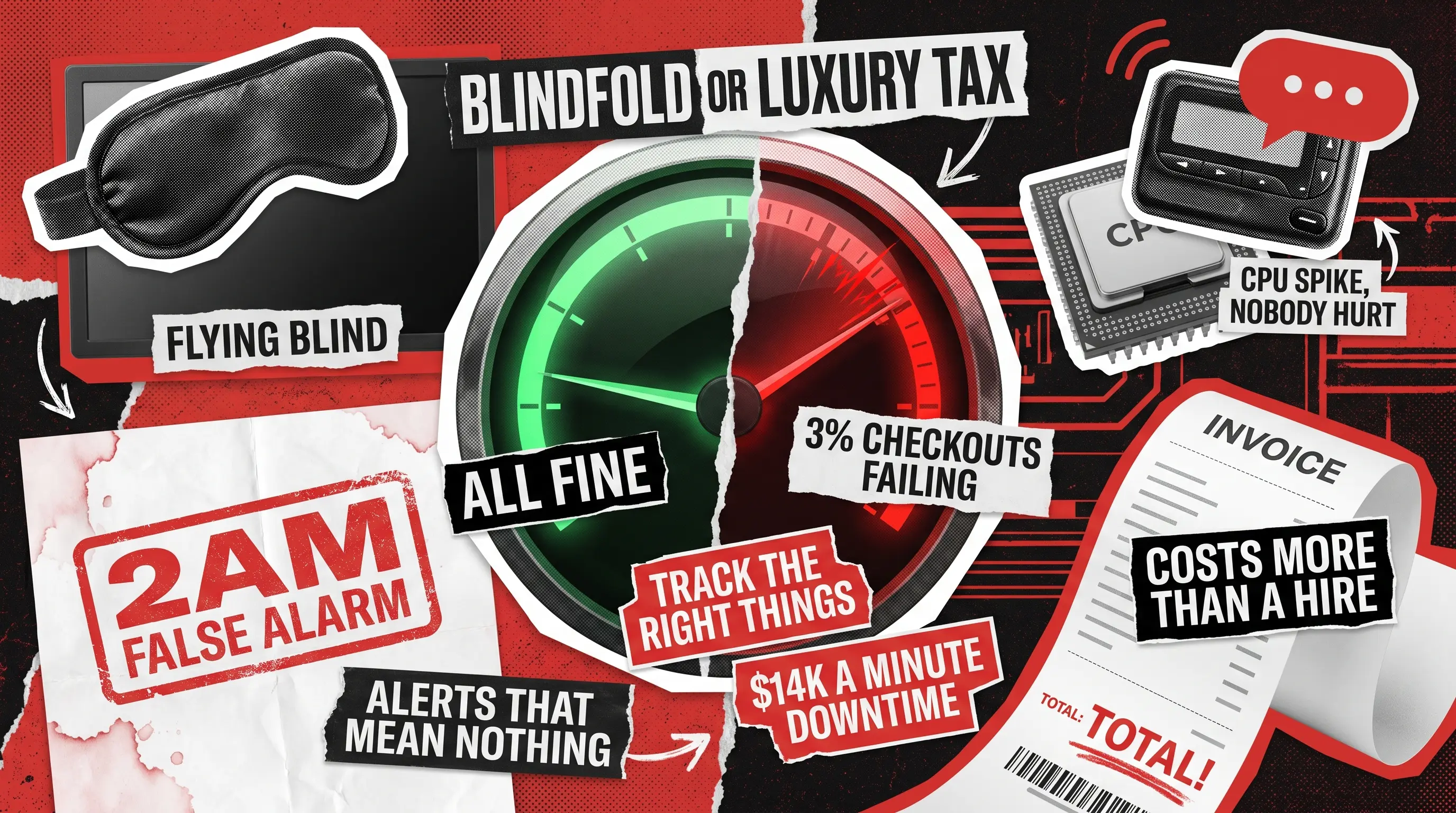
The journey toward mastering SaaS observability usually starts in one of two extreme, accidental traps. In the beginning, most founders take the ‘flying blind’ route. You track absolutely nothing, ship features at lightning speed, and blissfully assume everything is fine until a frustrated user blasts a game-breaking bug all over social media. Panicked, you swing violently to the other extreme: buying a massive, enterprise-grade monitoring platform before you even hit 500 active users. Three months later, you wake up to a bill that costs more than your first engineering hire.
Both paths are incredibly painful, leaving you either completely in the dark or completely broke.
However, scaling your startup shouldn’t feel like choosing between a blindfold and a luxury tax.
There is a sane middle path, and it comes down to timing. Having built and maintained software for over 250 clients, our team at Redwerk has noticed a consistent pattern: the problem isn’t that teams track too much or too little, it’s that they track the wrong things at the wrong stage.
You don’t have to let your tools swallow your margins. To help you find that perfect sweet spot, we’ve laid out a stage-by-stage playbook based on our experience in SaaS product development. Whether you’re a scrappy team still looking for product-market fit or a booming platform scaling past 100,000 monthly active users, this guide will show you exactly what to track today, what you can safely ignore until tomorrow, and the single biggest over-monitoring trap to steer clear of. Let’s get your system sorted.
What Is Observability for SaaS Applications, and How Does It Differ from Monitoring?
Observability is your ability to understand what is happening inside your SaaS application from the signals it produces: errors, response times, logs, and traces. It lets you answer ‘why is this broken?’ not just ‘is this broken?’, which is the difference between a dashboard with a warning light and one that tells you which cylinder is misfiring.
Monitoring is the narrower discipline underneath it. You define a limit, and the system alerts you when a metric crosses it. Observability goes further, giving you the raw data to investigate failures you never anticipated. Both matter, but startups often pay for heavy observability tooling when solid monitoring is all they need, and that is where costs balloon. What you monitor and what you spend should track your growth stage, which the rest of this guide breaks down.
What to Monitor in a SaaS Application: 4 Signals to Instrument from Day One
These four belong in every SaaS product from day one, whether you have ten users or ten thousand.
- Error rate on your core user flows
Pick the three or four workflows your product exists to support, such as signing up, logging in, and completing a purchase. Then, instrument each one to see whether it succeeds or fails. Tracked consistently, this single signal beats a hundred infrastructure dashboards, because you do not need to know why something failed until you know that it is failing. - API response time on your critical paths
Track the 95th percentile (p95) latency on your most-used endpoints, not the mean, because a mean quietly hides your worst cases. A typical response of 200ms looks fine until you find that 5% of users are waiting four seconds, and those slow responses often hit your highest-value customers. - Uptime monitoring via an external ping
This one is simple to set up and is skipped far too often. A free tool that checks whether your application is reachable from the outside world costs nothing and has saved companies millions. According to EMA Research’s 2024 analysis, unplanned downtime now costs organizations an average of $14,056 per minute. An external check is the cheapest insurance against hearing about an outage from a customer first. - User-facing error logs with enough context to reproduce the failure
Logs that say ‘error 500’ without details about the user, the request, or the system state are nearly useless. From day one, your logs should provide enough context to diagnose a failure without having to reconstruct the user’s journey from memory. This takes discipline in how you write log statements, not expensive tooling.
The Redwerk software maintenance team helps SaaS teams establish these foundations early, before the cost of fixing gaps compounds.
Stage 1: Pre-PMF SaaS Observability (Under 10,000 MAU) on a $0 to $50 Monthly Budget
At this stage, you are not optimizing a finished system but rather running an experiment. The goal before product-market fit is not comprehensive coverage. Instead, you should aim to catch the failures that cost you user trust or block you from learning how people use the product.
The four always-on signals that cover most of what you need are adding structured error logs with user and session context, then putting error rate, latency, and uptime on a single dashboard so you can answer one question in under two minutes: ‘Is something broken for a user right now?’
None of this has to cost money yet. Sentry’s free tier handles error tracking and session context, UptimeRobot covers external availability, and AWS CloudWatch (Amazon Web Services’ monitoring service) and Grafana Cloud both offer free tiers for basic metrics and log aggregation at low traffic.
What to skip:
- Full distributed tracing, which is powerful but costly to run and pointless until you have the service complexity to justify it.
- Per-request profiling, which fine-tunes a product before you have confirmed anyone wants it.
- Long-term log retention is unnecessary, since 14 days is plenty to diagnose almost any issue at this stage.
Stage 2: Early-Growth SaaS Observability (10,000 to 100,000 MAU) on a $200 to $500 Monthly Budget
You have found something users want. Traffic is climbing, your team is probably expanding, and failures now carry a real business cost. This is where observability shifts from a nice-to-have into the thing that lets you move fast without breaking trust.
Start tracking application-level metrics like feature adoption and activation rates, so that if activation drops 15% the day after a deployment, you catch it before the complaint emails arrive. Add distributed tracing to your two or three most business-critical flows, such as checkout, onboarding, and the core feature your best customers rely on daily. Define service-level objectives (SLOs), which are measurable performance targets such as ‘99.5% of login requests succeed within 800ms’, and build alerting on top of them that maps to customer-visible outcomes rather than raw infrastructure metrics.
Also, add log aggregation with search, because by 10,000 MAU, you can no longer read logs in a console or lean on SSH (Secure Shell) access to your servers. Grafana Cloud’s paid tier, Better Uptime, Sentry Team, and an OpenTelemetry-compatible backend like Axiom or Highlight.io cover all of this for well under $500 per month.
What to skip:
- Tracing every service end to end, which is still more than you need at this traffic level.
- Infrastructure-level session recording, since product analytics tools like PostHog do it cheaper and better.
- Expensive APM (Application Performance Monitoring) agents on every container, which inflate your bill for marginal gain.
This is also the stage where the right DevOps architecture decisions, made early, pay off many times over. Redwerk’s DevOps consulting team helps SaaS teams design instrumentation and pipelines that scale without forcing a rebuild at the next growth stage.
Stage 3: Scaled SaaS Observability (Over 100,000 MAU) on a $2,000 to $5,000 Monthly Budget
Past 100,000 MAU, you are operating a mature product under heavy load, and the stakes of a production incident are far higher. The question is no longer whether to invest, but how to invest in the right signals while avoiding tooling sprawl that drives costs to 2 or 3 times what teams budgeted.
Full distributed tracing across all services is now justified by your complexity, traffic, and business case. Add real user monitoring (RUM) for frontend performance, because how your application behaves in a real browser often differs from your synthetic tests, and at this scale, that gap shows up in conversion and retention.
Bring in database query performance monitoring, since slow queries are a leading cause of latency spikes and cascading failures, yet they remain invisible without it. Track error budgets against your SLOs, where the budget is the downtime your target allows (99.9% uptime leaves you 8.7 hours per year), which turns reliability into a concrete business decision. Add cost attribution so you know which features or segments consume the most infrastructure when making pricing and roadmap calls.
What to skip (still):
- Per-request profiling in production, unless you are chasing a specific confirmed problem; sample 1% of requests instead.
- Indefinite log retention; keep logs searchable for 30 days and archive them cheaply beyond that.
For tooling, Datadog, Honeycomb, Grafana Enterprise, or a self-hosted OpenTelemetry stack with ClickHouse all work well, though costs vary widely. Datadog in particular warrants careful budget management. Its infrastructure monitoring starts at $15 per host per month, and modules like APM (Application Performance Monitoring) and log management are priced separately, so invoices often arrive 2 to 3 times higher than the initial estimate. Go in with your eyes open.
The #1 SaaS Observability Mistake: Over-Alerting on Infrastructure Metrics That Do Not Predict Customer Pain
We have seen this pattern across dozens of SaaS teams. They wire up a dashboard and configure alerts on CPU (Central Processing Unit) usage, memory, disk I/O (input/output), and network throughput, and feel covered. Then they get paged at 2 a.m. because the CPU spiked to 80% during a scheduled batch job, investigate for 45 minutes, find nothing wrong with the users, and go back to sleep frustrated. Meanwhile, a bug from the previous deployment is silently failing 3% of checkout flows without any alert because no one instrumented that flow.
Infrastructure metrics are not useless, but they are a means to an end. A server sitting at 90% memory utilization is not, by itself, worth waking up for. The same server pushing the p95 latency on your payment endpoint past two seconds absolutely is. The difference is whether you have connected the signal to a customer-visible outcome.

So here is the rule we suggest enforcing before configuring any alert: it must trace to something a customer would experience. If you cannot complete the sentence ‘if this fires and we ignore it, the customer will experience ____’, it should not page anyone.
Build alerting top-down instead: define what a degraded experience looks like for each critical flow in measurable terms, then instrument the signals that predict it. Most teams work the opposite way, burning engineering time chasing noise instead of preventing problems.
How to Choose SaaS Observability Tools: A Simple Decision Framework
The right order for choosing observability tooling is straightforward, yet most teams skip it:
- First, map your three most critical user flows, the ones that would make a customer cancel or call support if broken.
- Second, define what ‘broken’ means for each in measurable terms: a timeout over three seconds, an error code, or a silent failure where the response says 200, but nothing happened downstream.
- Third, ask what signal would reveal that failure before the first complaint, and instrument that first.
- Fourth, open the tool’s pricing page, because the tool should fit the signals you need, not the other way around.
Getting observability right from the start shapes how fast you diagnose issues, how much time you lose to false alarms, and how confidently you ship. If you are building a SaaS product or scaling one past the point where your current setup is holding you back. The Redwerk team has been doing this for 20+ years and counting. We build SaaS products with production-ready observability included, not bolted on afterward, so you start with the signals that matter and a clear path to expand as you grow. If you are ready, contact us and let’s establish the right observability framework for you.
FAQ
What is SaaS observability?
SaaS observability is the practice of collecting and analyzing signals from a SaaS application, including errors, response times, logs, and request traces, to understand how the system is behaving and why problems occur. A well-observed system lets your team diagnose unexpected failures quickly, rather than only detecting that a failure exists.
What is the difference between monitoring and observability?
Monitoring checks whether predefined conditions are met, such as whether uptime remains above 99.9% or error rates remain below a threshold. Observability provides raw data for investigating conditions you did not anticipate. Monitoring tells you that something is wrong. Observability tells you why. Most early-stage SaaS teams need good monitoring far more urgently than full observability tooling.
What should you monitor in a SaaS application?
At minimum, monitor whether your core user flows succeed or fail, how quickly your most-used endpoints respond, whether the application is reachable from the outside world, and whether your error logs carry enough context to diagnose failures. What you add beyond that should be determined by your growth stage, architectural complexity, and budget.
What is the cheapest way to monitor a SaaS application?
The leanest effective setup for a pre-PMF product combines Sentry’s free tier for error tracking, UptimeRobot for external availability, and AWS CloudWatch or Grafana Cloud’s free tier for metrics. Together, they cover the four always-on signals every product needs, and you can have the whole stack running in a single working day.
When should a startup start investing in paid observability tools?
The trigger is not a user count or a revenue figure. It is the moment your free-tier setup starts working against you: alerts generate more noise than signal, incidents take longer than 30 minutes to diagnose, or your retention windows are too short to investigate the issues that matter. Once any of those become routine, paid tooling earns back its cost in recovered engineering time.
Check out how we built a recruitment SaaS acquired by a Nasdaq-listed company with a 250+ mln market cap